Payment links
A payment link is a page you share once — on social media, in a message, in your bio — that lets anyone send you a payment. You don’t need to create a new one for every supporter.
Creating a link
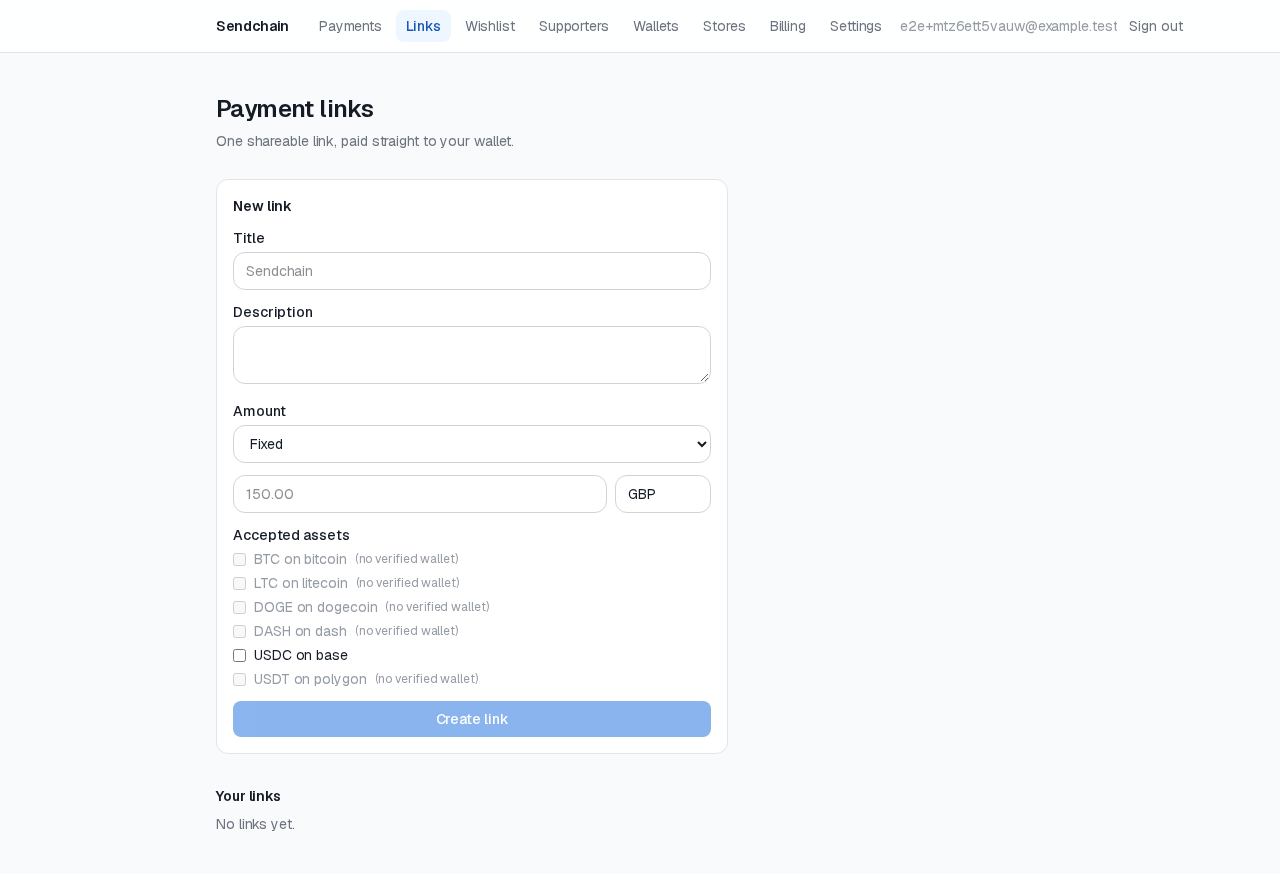
Section titled “Creating a link”From your dashboard’s Links page, click New link and choose:
- A title and optional description — shown to the payer.
- Fixed or open amount. A fixed link always asks for the same amount (e.g. “$20 coffee tip”). An open link lets the payer choose how much to send.
- Which cryptocurrencies to accept — drawn from the wallets you’ve already verified. You can accept more than one; the payer picks at checkout.
Once created, you get a short, unguessable link. Anyone with it can pay — there’s nothing to configure on their end.
Pausing and resuming
Section titled “Pausing and resuming”A link can be paused at any time from the Links page. A paused link stops accepting new payments immediately but keeps its history and can be resumed later — nothing about the link itself (its title, amount, accepted assets) changes while paused.
What happens when someone pays
Section titled “What happens when someone pays”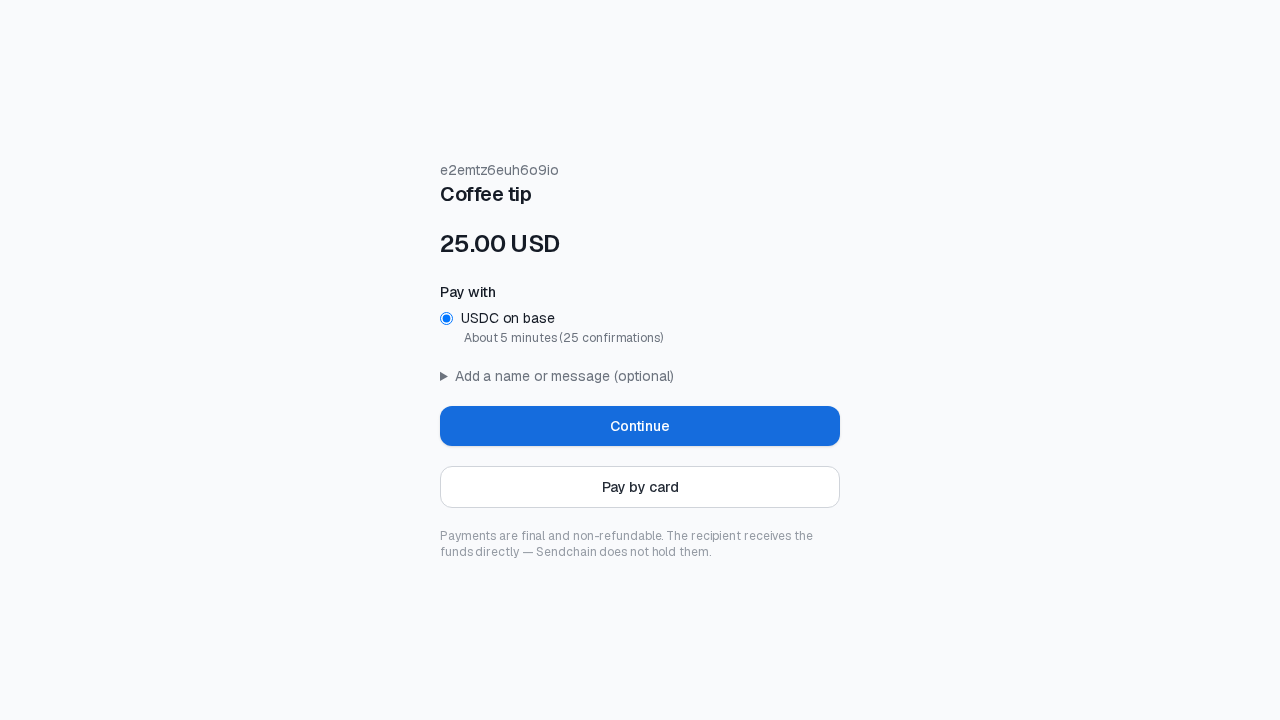
The payer is shown a receiving address and an exact amount to send — the
funds go directly to your own verified wallet. Nothing passes through an
intermediary balance; Send Chain never holds the money. Once the payment
confirms on-chain, it shows up in your Payments list and (if you’ve set
one up) triggers a payment.completed webhook.
A small 0.5% fee applies to each completed payment — but it’s never taken from the payment itself. See Billing & balance for how that works.